How to Change Language in DirectAdmin
This article will show you how to change the language in DirectAdmin.
1. Log in to DirectAdmin
Use your user details to log in to the DirectAdmin control panel.

2. Navigate to Settings
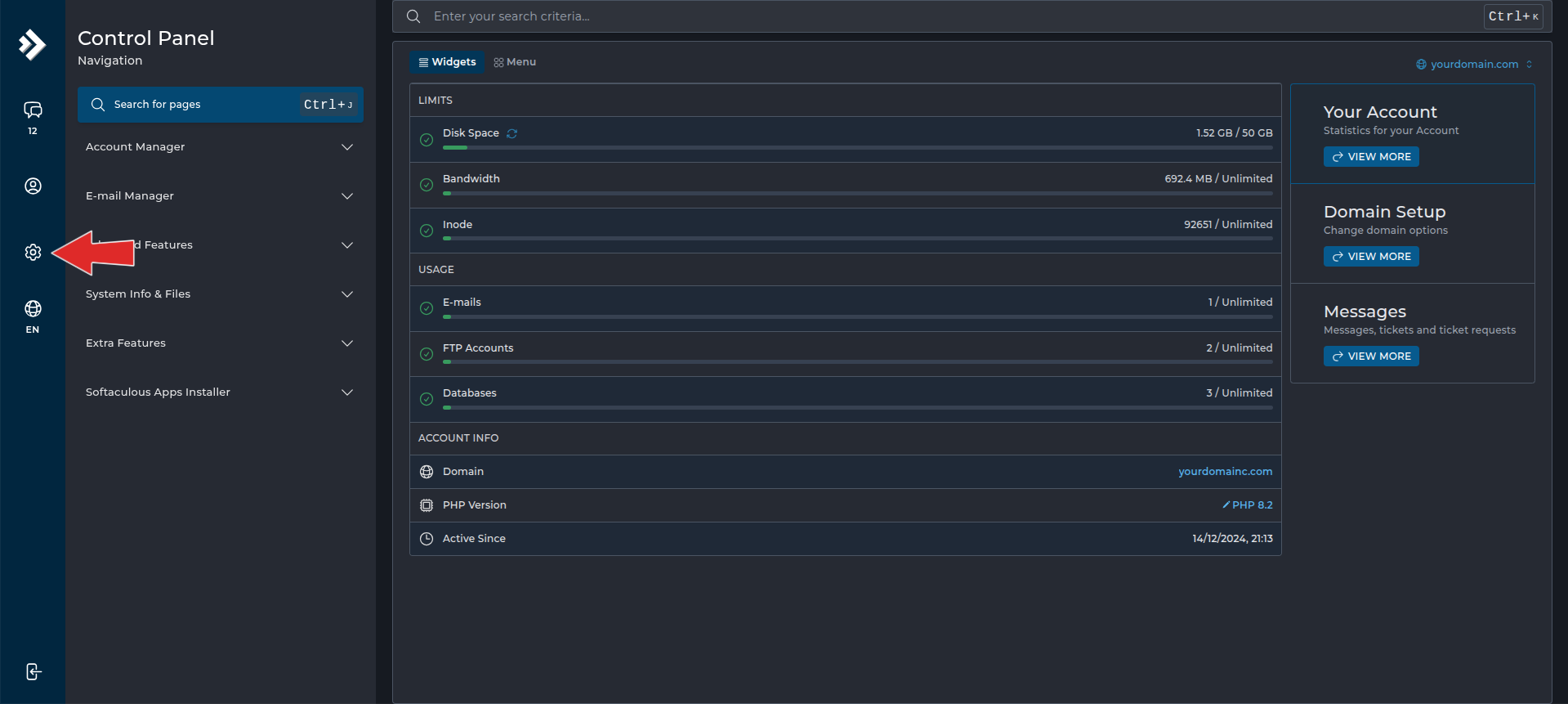
Navigate to the DirectAdmin settings page by clicking on the cog icon in the left hand sidebar.
3. Select Skin Options
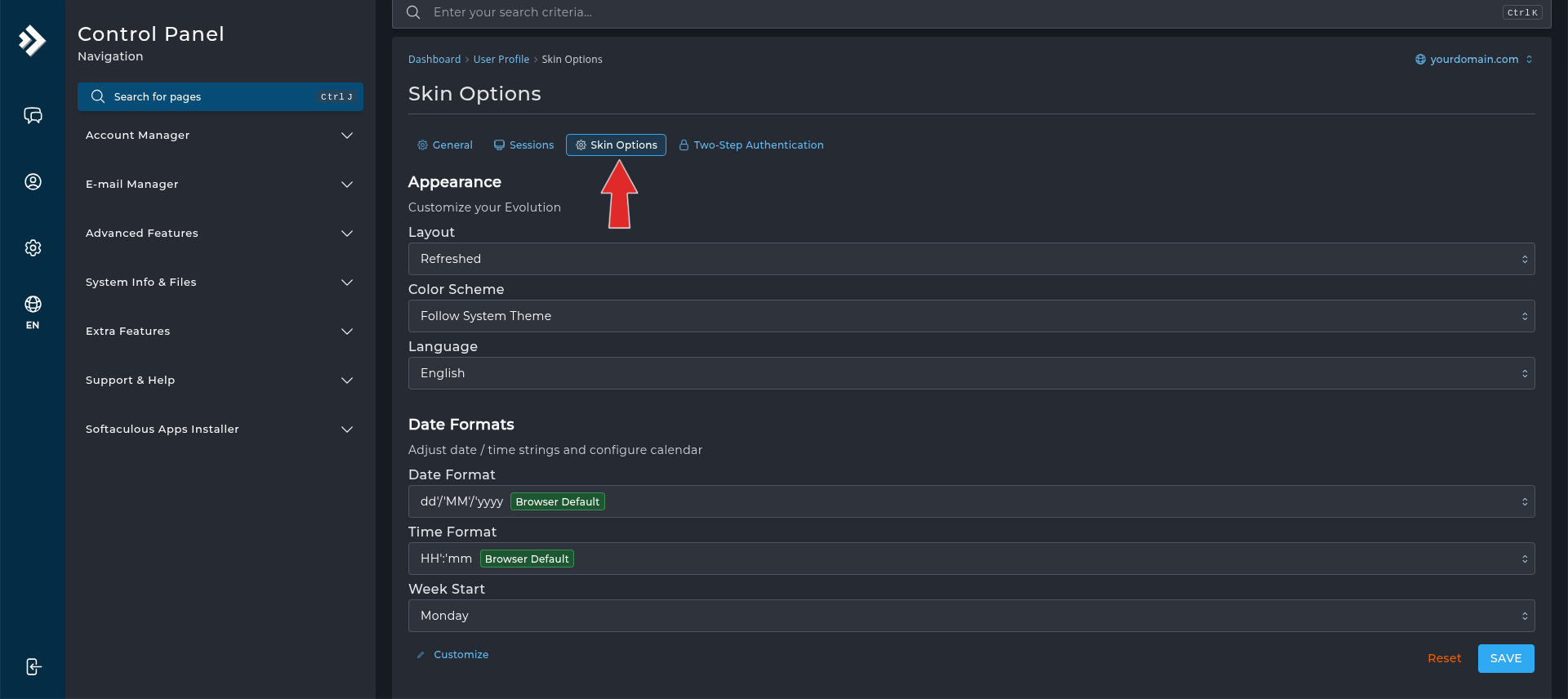
In the User Profile page, click on the Skin Options tab.
4. Choose a New Language
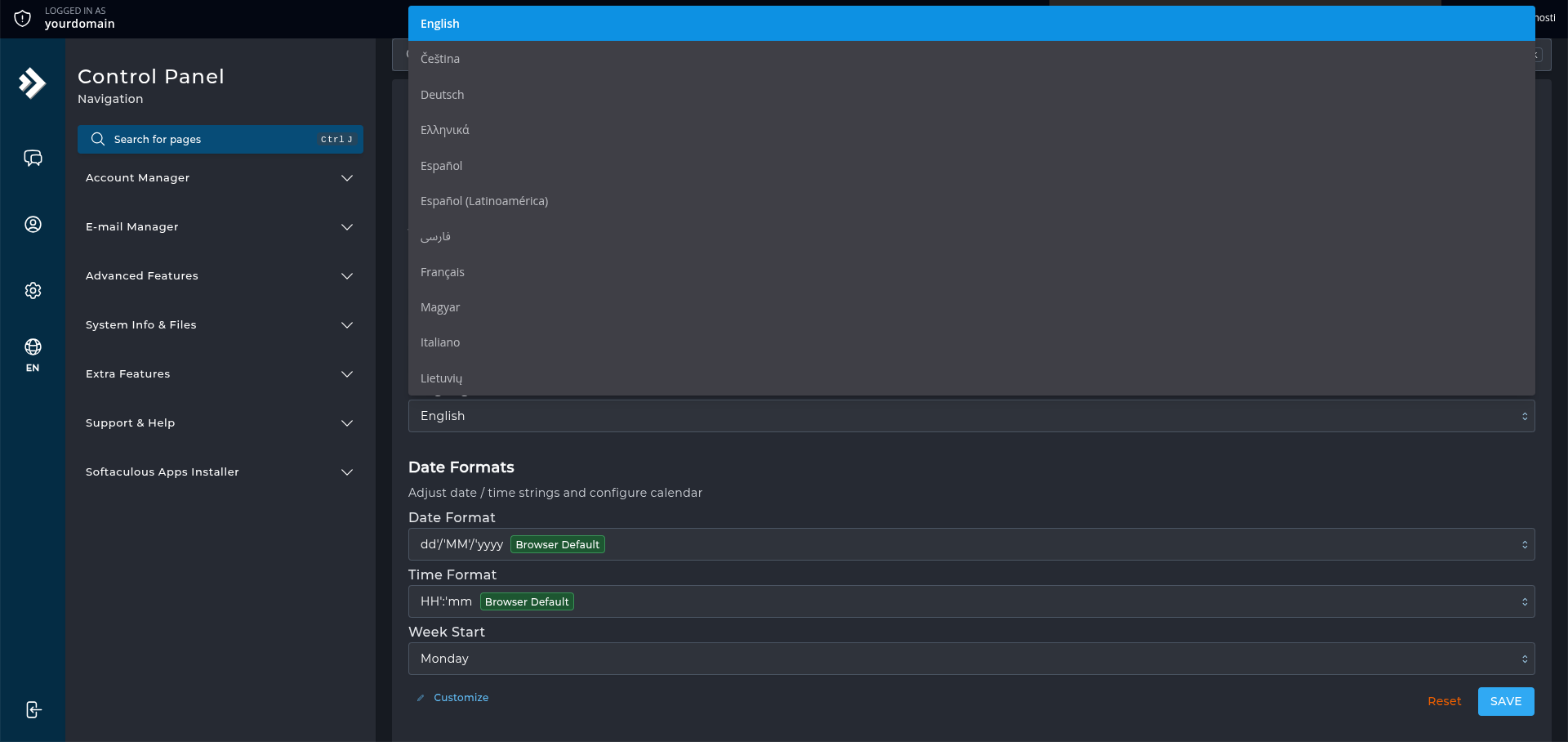
From the language dropdown, select the desired language for the DirectAdmin interface, then click Save.
Congratulations! You’ve successfully changed the language of your DirectAdmin control panel.